
大家好,我是超哥。今天带大家安装 Pi Agent,并接入 DeepSeek。从环境安装、API 设置,到 Pi Web 浏览器版使用,完整走一遍。速度快、Token 消耗低,几分钟即可完成配置,我们直接开始。
一、安装 Pi Agent 并接入 DeepSeek
Pi Agent 官网:pi.dev
DeepSeek 官网:www.deepseek.com
1. 下载安装 Node.js
2. Pi Agent 安装命令:
curl
curl -fsSL https://pi.dev/install.sh | sh
PowerShell
powershell -c "irm https://pi.dev/install.ps1 | iex"
npm
npm install -g --ignore-scripts @earendil-works/pi-coding-agent
pnpm
pnpm add -g --ignore-scripts @earendil-works/pi-coding-agent
bun
bun add -g --ignore-scripts @earendil-works/pi-coding-agent
| 命令 | 适用环境 |
|---|---|
curl |
Linux / macOS 通用 Shell |
powershell |
Windows PowerShell |
npm |
已安装 Node.js + npm |
pnpm |
已安装 pnpm |
bun |
已安装 Bun |
3. 进入 DeepSeek 官网获取 API
DeepSeek 官网:www.deepseek.com
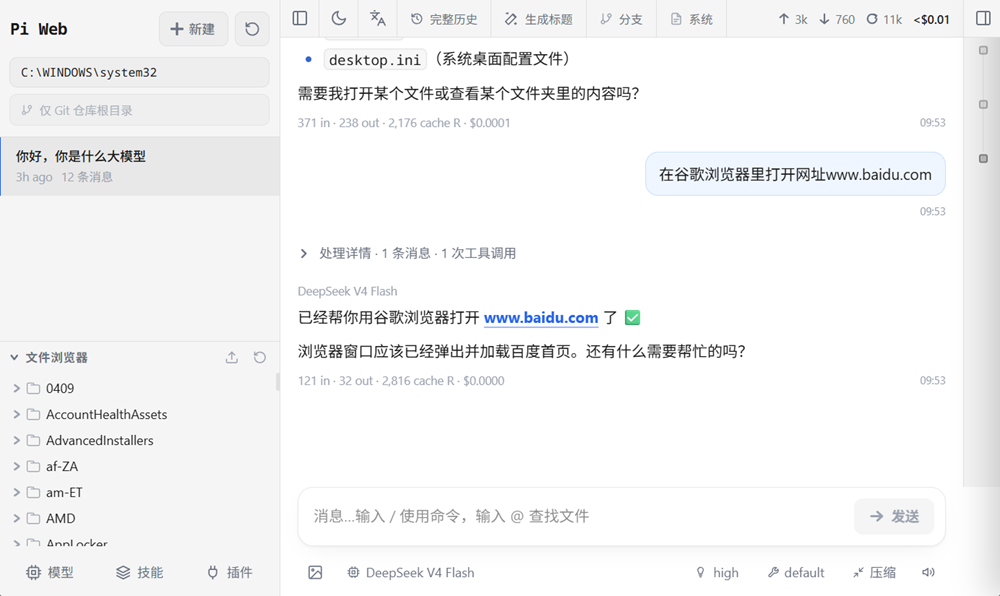
二、安装 Pi Web
Github 项目地址:github.com/agegr/pi-web
安装命令:
npx @agegr/pi-web@latest
关机电脑后重新启动命令(跟上面一样的):
npx @agegr/pi-web@latest
三、卸载命令
PowerShell 里执行命令:
npm uninstall -g @earendil-works/pi-coding-agent